Product photos for Etsy, Amazon, eBay, Shopify, Depop and Walmart listings
Upload one photo of your product. We re-render it on a clean white studio background — the one Amazon's main-image rule asks for — or in a lifestyle scene, at 2048px. Every render is compared against your photo before it is saved, and anything that drifts is thrown away at no charge.
Try it with your photo
Sign in and your first image is free: one white-background render of this photo, at 2048px, compared against your original before it is saved.
The frame above is empty on purpose. We will not show you someone else's render and call it your product.
Sign in — first image freeReal photos, real renders
Four public-domain product photos, and this tool's own output for each of them. Nothing here is a mock-up or a stock studio shot.
Phone photo 
Studio white 
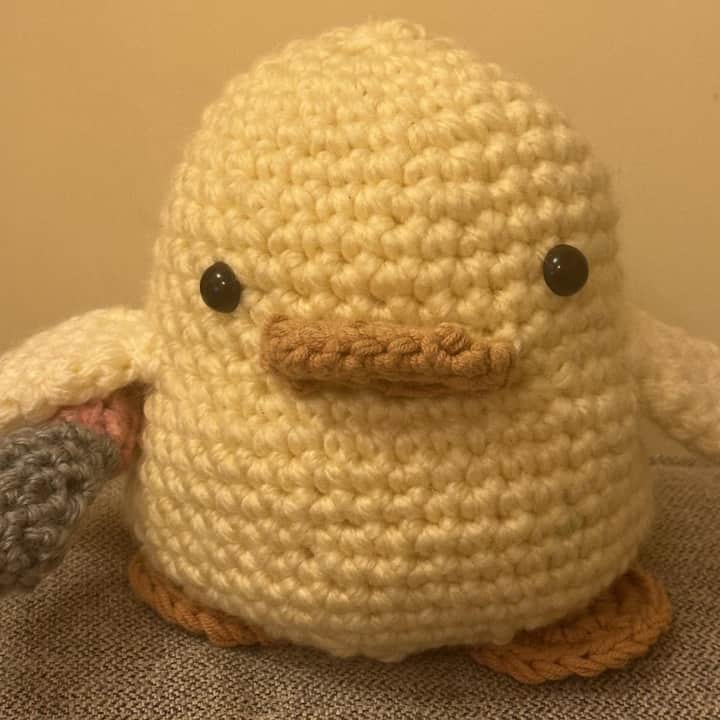
Lifestyle scene Crochet duck plushie, indoor light. Handmade texture and stitch direction are what a drifted render loses first.
Phone photo 
Studio white 
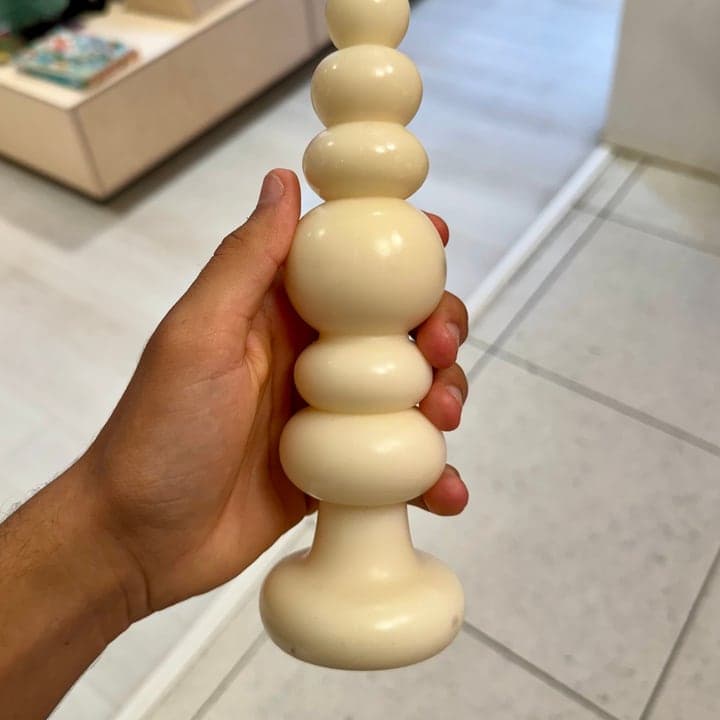
Lifestyle scene Knubby soy-beeswax candle, hand-held shot in a shop. The hand is not part of the product, so it is not in the render.
Phone photo 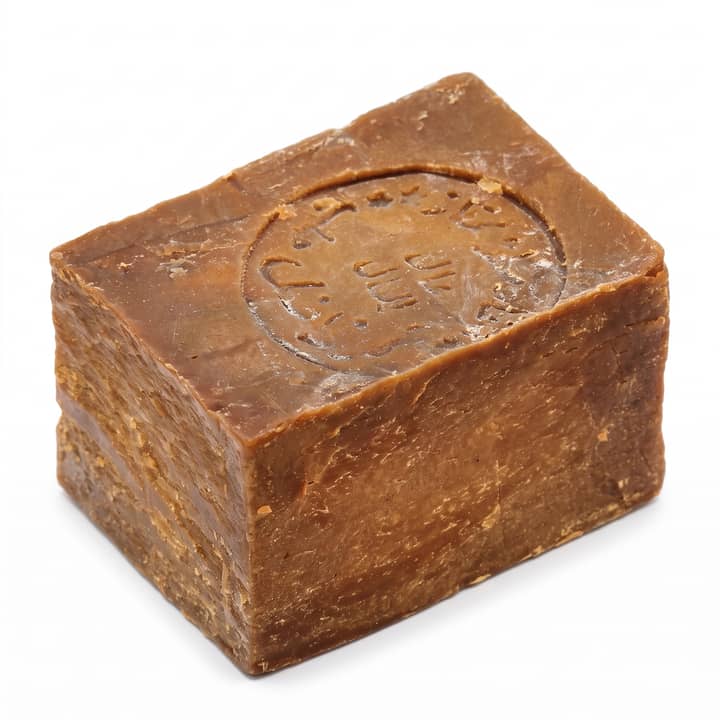
Studio white 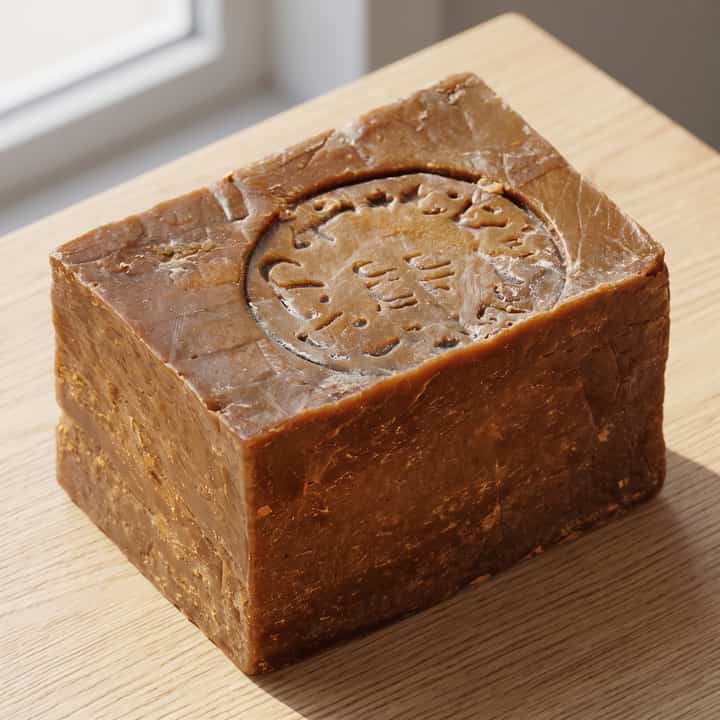
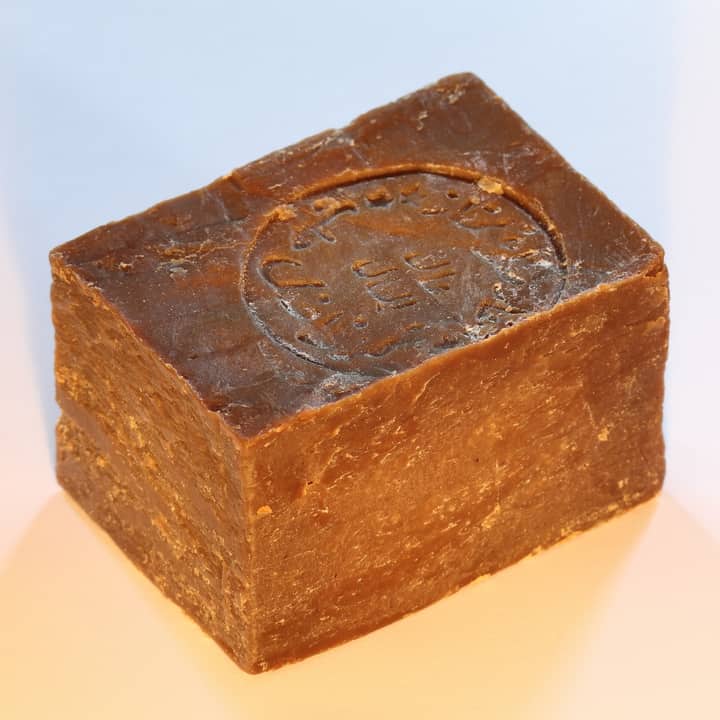
Lifestyle scene Aleppo soap bar, warm light. The stamped lettering is the thing to compare before you upload.
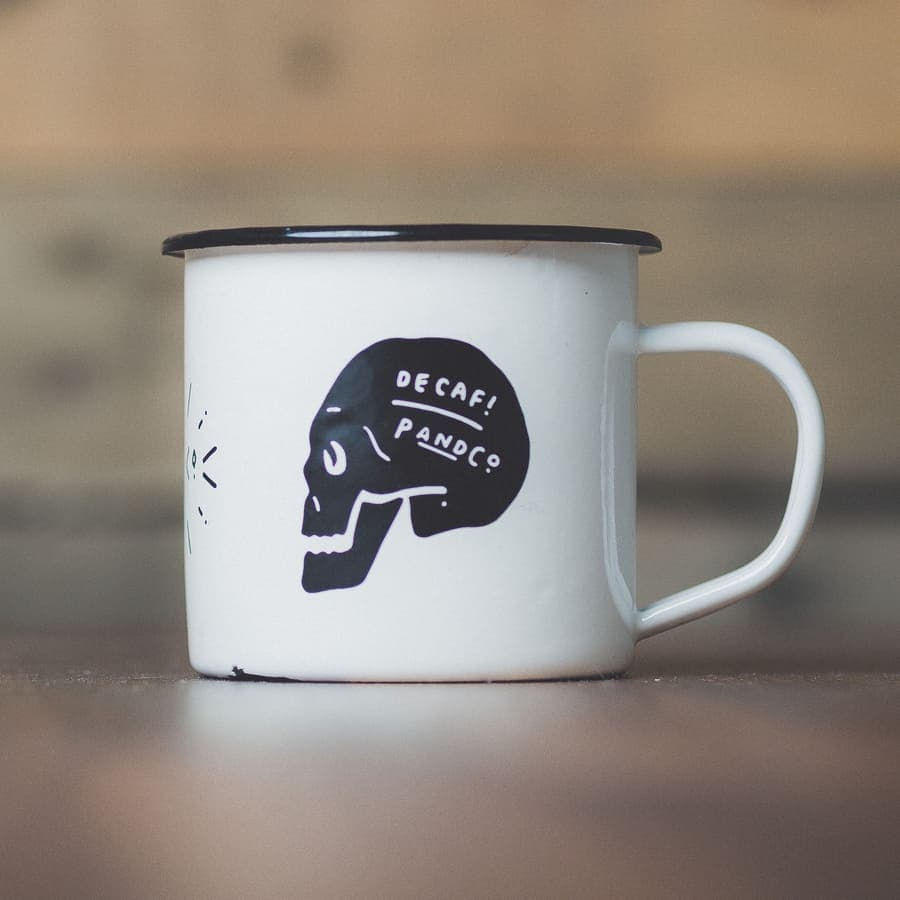
Phone photo 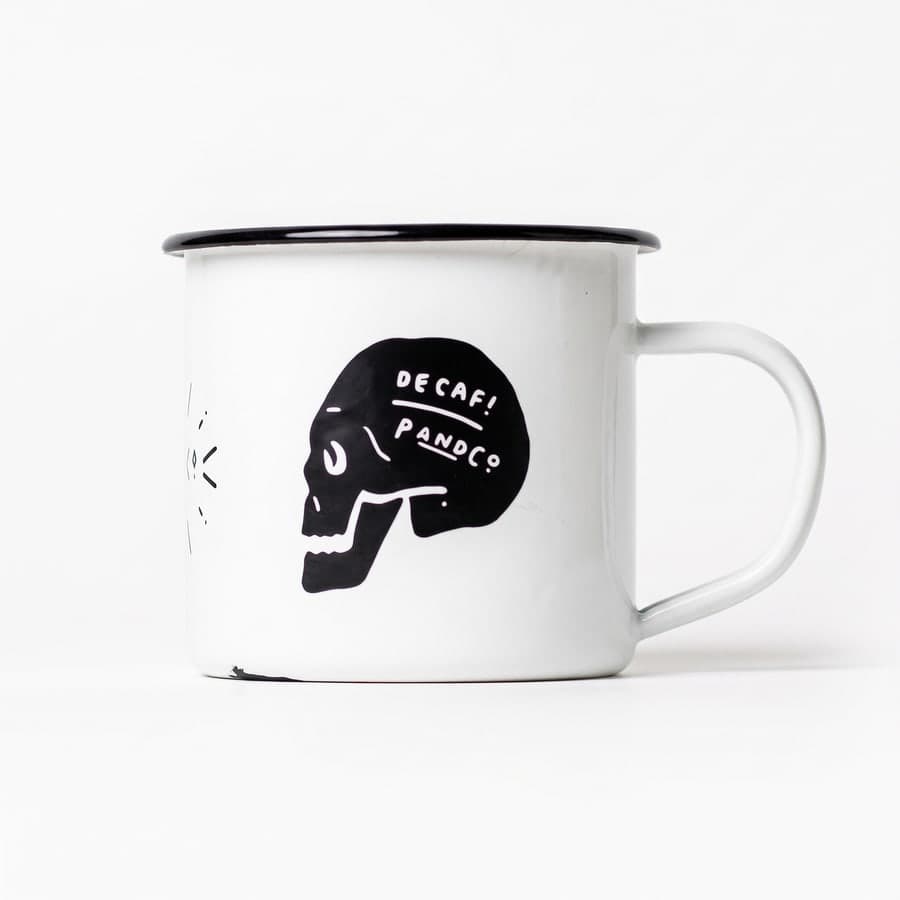
Studio white 
Lifestyle scene Enamel mug, shot on a wooden table. The sparkle print left of the skull survives the check — that detail is exactly what the comparison is looking for.
Photos: public domain (CC0), via Wikimedia Commons. Renders: this tool's output for those photos.
What each marketplace requires of a photo
Two marketplaces publish rules specific enough to change the file you upload. We read both from their own pages on 2026-09-22, and we render to them.
Amazon's main image is the strict one. It has to sit on pure white — RGB 255, 255, 255, not “nearly white” — with the product filling about 85 % of the frame. The file will not upload below 500 pixels on its longest side, and Amazon only turns on zoom from around 1 000. A main image that breaks the rule can get the listing temporarily pulled out of search, which is a quieter failure than a rejection and therefore a worse one. There is also a rule most sellers have never heard of: a photorealistic AI-generated person has to be tagged with the IPTC key contains-synthetic-performer. We do not generate people, so it does not apply to anything made here — but if you are using another tool that puts a model in the shot, it applies to you.
Etsy's rules are about the file, not the background. It wants at least 2 000 pixels on the shortest side, accepts .jpg, .gif, .png, .svg and .heic, and takes up to 20 photos and 2 videos per listing. The one that catches people out: a transparent PNG renders black on Etsy. A cut-out with a transparent background — which is what most background removers hand you — turns into a black rectangle on the listing page.
Which is why our white is filled white, never transparent, and our output is 2048 pixels square. That clears Etsy's 2 000-pixel minimum and sits above the threshold where Amazon enables zoom, from one render, without you having to think about either.
eBay, Shopify, Depop and Walmart are not in this list, and that is deliberate. They all publish image guidance; we have not re-read theirs from their own pages for this page, and we are not going to repeat numbers we picked up from somewhere else. When we have read them at the source, they will be here with a date, the way these two are.
Read at the source: Amazon — Product image requirements (Seller Central G1881) (2026-09-22) · Etsy — Listing photo requirements (Help Centre) (2026-09-22)
What to upload
One product, one photo, and the product on its own. That is most of it.
The comparison that decides whether an image is saved works by matching the render against what it can see in your original — so the clearer your original is, the more of it survives. A phone photo on a kitchen table is fine; every example above is exactly that kind of photo. What causes trouble is the stuff that makes it ambiguous what the product even is.
Shoot the item on its own. Hands, other products, a busy shelf behind it — anything the render has to decide about is something it can decide wrongly. The candle in the gallery is the honest example: a hand is holding it in the photo, and the hand is not in the render, because the hand is not the product.
Get the detail in focus that you care about most. Stamped lettering, a printed logo, stitch direction, a pattern — those are the first things to go soft in any re-render, and they are the first things the check looks at. If the text on your label is unreadable in your photo, it will not become readable in ours.
Light it evenly and fill the frame. Not studio lighting — a window is enough. Even light and a product that takes up most of the picture give the render less to invent.
If a render does drift, you will not be charged for it and the free image stays unused. But the fastest way to a good result is still a photo that leaves little to guess at.
What the check does, and what it does not promise
Start with the part most tools skip: this is not a background removal. The image is re-rendered. An AI model reads your photo and draws the product again on a new background, which is how it gets real shadows and a real surface instead of a cut-out floating on white — and it is also how details drift. Text goes soft. A logo loses a letter. A pattern shifts.
So every image gets compared against your original before it is saved, and an image that has drifted is thrown away and not charged. Not flagged, not shown to you with a warning — discarded, with the credit still in your balance. If a whole batch fails, you have spent nothing.
That is the promise, and it is the whole promise. We are not telling you your product comes back untouched, because that would not be true of any generative render, ours included. What we will say is that a render that stops looking like your product does not reach you at our expense.
Check it yourself anyway. Compare the text, the logos, the patterns and the colours against your original before you upload anything to a listing. You are responsible for the accuracy of your listing photos, and some marketplaces ask you to disclose AI-edited media. For an Amazon main image, if your own photo already meets their rules, use your own photo.
What happens to your files. Uploads are deleted after 30 days and generated images after 180 — the same numbers the Privacy Policy states, enforced by a scheduled job, not by a promise. Your photos are sent to an AI provider to render the images, on a paid tier that is not used to train models; the Privacy Policy names the provider and lists it as a subprocessor. Nothing is posted to your shop, and we never ask for your marketplace password.
What Etsy's policy says about rendered photos
Etsy is the most explicit of these marketplaces on this, and it is worth reading before you put anything from this page on an Etsy listing.
Its Listing Image Requirements policy asks sellers to use original photos of the actual product a buyer will receive — “not renderings or stock photos”. The Seller Policy says the same in its own words: your own photographs, not stock photos or artistic renderings. The policy carves out exactly two exceptions, and neither of them is about editing: personalized or custom items, and items made with a production partner.
So here is where the line falls, in plain terms.
A white-background image made here starts from a photograph you took of the item you are selling, and replaces what is behind it. That is an edited photograph of a real product, not a rendering of a product that does not exist — and it is the second thing the policy is written against. Nothing in it forbids editing your own photo.
A generated lifestyle scene is a harder call, and it is not ours to make. The setting around your product is invented. Whether that still reads as your own photo of the actual product is Etsy's judgement, not ours, and we are not going to tell you it is fine so that you use the feature.
What we recommend — and Etsy's own policy is where it comes from. Lead with your own photograph of the real item, and keep generated scenes for the additional images. Etsy sets out that exact pattern for personalized listings, where computer-generated mock-ups are allowed further down the gallery as long as, in its words, “your first image is the real deal”. The same shape is the safe one whatever you sell: the first image is the thing you are actually posting.
The listing is yours and the policy applies to you, so we would rather hand you the rule than a reassurance.
These are Etsy's rules and Etsy's alone. We have not read the equivalent policies for eBay, Shopify, Depop or Walmart at the source, so this section is about Etsy and nothing else.
Read from Etsy's own pages on 2026-09-23: Listing Image Requirements (Last updated on 09 Jul, 2024) · Seller Policy (This policy is effective on 9 July 2026).
Got the photo sorted?
Write the listing for this photo →