BigCommerce search keywords: what the field does, where it ranks, and what to put in it
Por Oleksandr Shaniuk · fundador de Sellura · Actualizado el 1 de noviembre de 2026
BigCommerce's Search keywords are extra terms you add to a product, under Storefront details in the product editor, so shoppers find it through your store's own search box. They don't go to Google. BigCommerce's Help Center, read on 1 November 2026, says what belongs there: words shoppers search for that your product details don't include, common misspellings, specific part names or numbers, and variations of a search term, such as Kleenex for your own brand of tissues. In BigCommerce's store search, an exact keyword match ranks fourth, after an exact SKU, an exact product name and the brand name.
- Exact keyword match
- 4th of 8
- In BigCommerce's store search order
- Where to add them
- Storefront
- Product editor, Storefront details
- Published count or length
- None
- BigCommerce sets neither
- Sellura writes
- 10 × 30
- Keywords × characters, ours
BigCommerce publishes no count and no length for the field: its Catalog API takes a comma-separated list. So the best list of keywords is the one your own shoppers write, in the Keywords Without Results report under Analytics, In-store search. Below: what the field is for, the match order, the setting and the AI search that change how it works, the reports, and what to write.
Check your own listing
Already selling on BigCommerce? Score your product page
Copy the product name and description from your BigCommerce control panel or your store and paste them here for a 0–100 score and the top fixes, then rewrite it with your own words already filled in.
Free, no sign-up.
What the Search keywords field is for
BigCommerce calls search keywords additional search terms that help customers find your products, and says they account for what happens when customers search your store. Its developer reference describes the same field as a comma-separated list used to locate the product when searching the store. Neither page mentions Google: this is store search, on your own site.
BigCommerce's help lists four kinds of term worth adding. Every one of them is a word that is not already in the product's name, brand or description, which is the whole point of the field.
- Words shoppers search for that aren't in your product's details.
- Commonly misspelled product names.
- Specific part names or numbers.
- Common variations of a search term, such as Kleenex when you sell your own brand of tissues.
BigCommerce product SEO: the name, page title and keywords →
Sources: BigCommerce Help Center: Configuring Store Search (search keywords and what to add), checked 1 November 2026 · BigCommerce Catalog API: Create Product (search_keywords, a comma-separated list), checked 1 November 2026
Where keywords rank in BigCommerce's store search
For keyword searches, BigCommerce's help gives the order in which its store search places priority on product fields. An exact keyword is fourth; a partial keyword match is last, eighth of eight. So a keyword is how a product gets found for a word it doesn't otherwise contain, not how it beats a product whose name already matches.
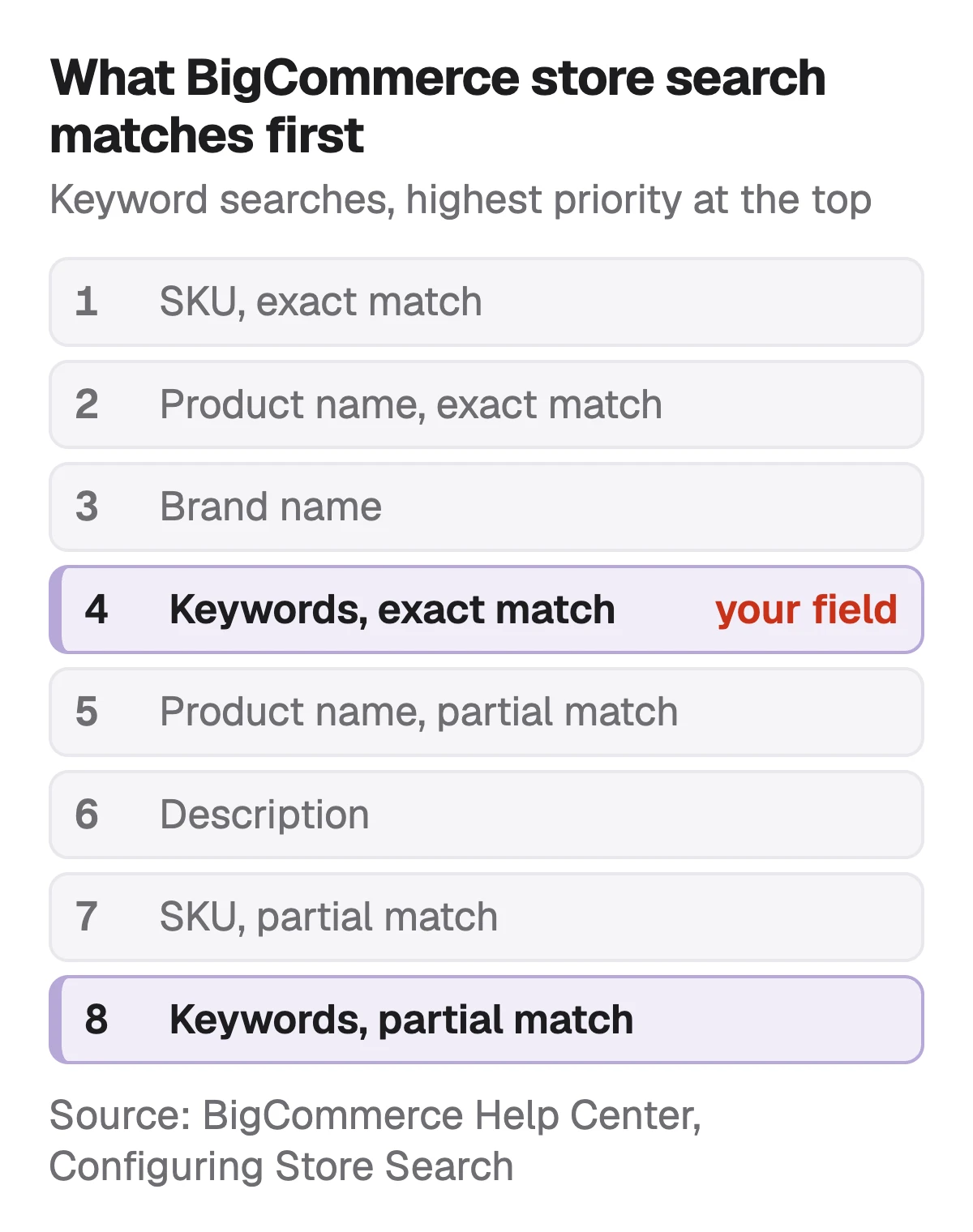
| Priority | Product field |
|---|---|
| 1 | Product fieldSKU (exact match) |
| 2 | Product fieldProduct Name (exact match) |
| 3 | Product fieldBrand Name |
| 4 | Product fieldKeywords (exact match) |
| 5 | Product fieldProduct Name (partial match) |
| 6 | Product fieldDescription |
| 7 | Product fieldSKU (partial match) |
| 8 | Product fieldKeywords (partial match) |
From BigCommerce's Help Center, Configuring Store Search, read 1 November 2026. It applies to keyword-based searches; conversational search, below, adds meaning-based matching on top.
Source: BigCommerce Help Center: Configuring Store Search (store search product fields, in priority order), checked 1 November 2026
The setting that decides how a two-word search matches
Under Settings, Search, BigCommerce's Search Logic decides what a search of more than one word returns. The default shows results containing one or more of the words, so "red shirt" returns products with red or shirt in their searchable fields. The other option shows only results containing all the words.
That changes what a keyword is worth. With the default, a keyword such as wool hat also brings up the product for searches of just hat or just wool, alongside everything else that contains them. With all words required, the shopper has to type both, and a keyword that holds the exact phrase people use matters more.
Source: BigCommerce Help Center: Configuring Store Search (Search Logic setting, default one or more words), checked 1 November 2026
Conversational search: when exact words matter less
BigCommerce now has conversational search, which its help describes as an AI-powered upgrade to native store search that combines keyword search with meaning-based matching, for queries like a flowy summer dress for a beach wedding. It is available to stores based in the European Union or the United States on a paid plan, and only the store owner can switch it on or off in Settings, Search.
BigCommerce says single-word queries and direct keyword matches keep working as before, and that no product data has to change. So the field still earns its place for misspellings, part numbers and the brand-name variations no meaning-based match will guess. BigCommerce also notes that switching it on sends your catalog text and shoppers' searches to a third-party processor, which is worth knowing before you do.
Source: BigCommerce Help Center: Configuring Store Search (conversational search requirements and FAQ), checked 1 November 2026
Where the right keywords come from: three In-store search reports
Under Analytics, In-store search, BigCommerce keeps three reports of what shoppers typed. Its advice for each is the same: find the product that should have matched and add the term as one of its search keywords.
- Keywords Without Results: terms customers searched that returned nothing. The most direct list of keywords you are missing.
- Worst Performing Keywords: terms that returned results nobody clicked. Search for them yourself and see which product should have come up.
- Search Term Corrections: misspellings that triggered a Did you mean suggestion, which shoppers then clicked, such as derss for dress. Search Suggest has to be on in Settings, Display, for these to appear.
FactA report only your store has
No keyword tool, ours included, can tell you what your own shoppers typed into your search box. These reports can. Read them before you write keywords from a list.
Source: BigCommerce Help Center: Configuring Store Search (store search analytics), checked 1 November 2026
What to write, and what to leave out
Because BigCommerce sets no count or length, Sellura writes 10 keywords of up to 30 characters each. Both numbers are ours. Each is another name a shopper might type for the item, its type, a synonym, the material or the use, and none repeats the product name, which already ranks second as an exact match.
| Kind of term | Keywords for a ribbed merino wool beanie |
|---|---|
| Other names for the item | Keywords for a ribbed merino wool beaniewool hat, winter hat, knit cap, toque, watch cap |
| Material and colour as shoppers type them | Keywords for a ribbed merino wool beaniemerino hat, grey beanie |
| Use | Keywords for a ribbed merino wool beanieski hat |
| A misspelling | Keywords for a ribbed merino wool beaniebeany |
| A variation of the search term | Keywords for a ribbed merino wool beaniebeanie hat |
Our example product and our choice of terms, 10 keywords, none over 30 characters. BigCommerce's help suggests each kind; the counts are ours.
- Leave out the product name and the brand: they already match, higher up.
- Leave out claims the product page doesn't make, such as eco-friendly or waterproof.
- Don't stuff: BigCommerce's SEO help warns against keyword stuffing, and a keyword that matches everything puts the product in front of shoppers looking for something else.
Search keywords and Google: why they don't help you rank there
Search keywords are not the old meta keywords, and they don't reach Google. BigCommerce's SEO help says meta keywords have been deprecated by all major search engines, and that keywords work better inside your descriptions. The Google Shopping mapping in BigCommerce's help has no place for search keywords either. For Google, the words have to be in the product name, the page title and the description.
BigCommerce meta descriptions: the field Google may show → · BigCommerce to Google Shopping: which fields reach the feed →
Source: BigCommerce Help Center: SEO Fields (meta keywords deprecated by all major search engines), checked 1 November 2026
What Sellura writes here, and what it doesn't
Pick BigCommerce and Sellura writes 10 search keywords of up to 30 characters, other names for the item that don't copy the product name, alongside a unique product name with the most searched phrase first, a description whose first sentence works as a snippet, and highlights. Each generation comes with a 0–100 score that is deterministic: the same listing always gets the same number, and every weak factor comes with one fix written for that listing.
The score and the name preview are free on every generation, with no card, and so are the keyword ideas tool and the Listing checker. A credit unlocks one finished listing: Starter is $15 a month for 25 credits or $150 a year, and Pro is $24 a month for 65 credits plus bulk, or $240 a year. Sellura can't see your In-store search reports or your store, doesn't track rankings and has no keyword research database, so the report above is still the best source of terms.
Write the BigCommerce listing, keywords included → · Plans and credits →
FAQ
What are search keywords in BigCommerce?
Where do I add search keywords in BigCommerce?
How many search keywords can a BigCommerce product have?
Do BigCommerce search keywords help SEO on Google?
Why can't shoppers find a product in my BigCommerce store search?
Do I still need search keywords with conversational search?
Treat BigCommerce's Search keywords as the store-search field it is: the other names, misspellings, part numbers and search-term variations a shopper types into your own search box, never a copy of the product name and never a stand-in for Google SEO. An exact keyword ranks fourth in store search, so it finds products for words they don't contain rather than outranking ones that do. Start from the Keywords Without Results report, add each term to the product that should have matched, and keep the list honest. Describe the product to Sellura and the name preview and 0–100 score are free; a credit buys the finished listing with 10 keywords.
Abre el generador de BigCommerce.